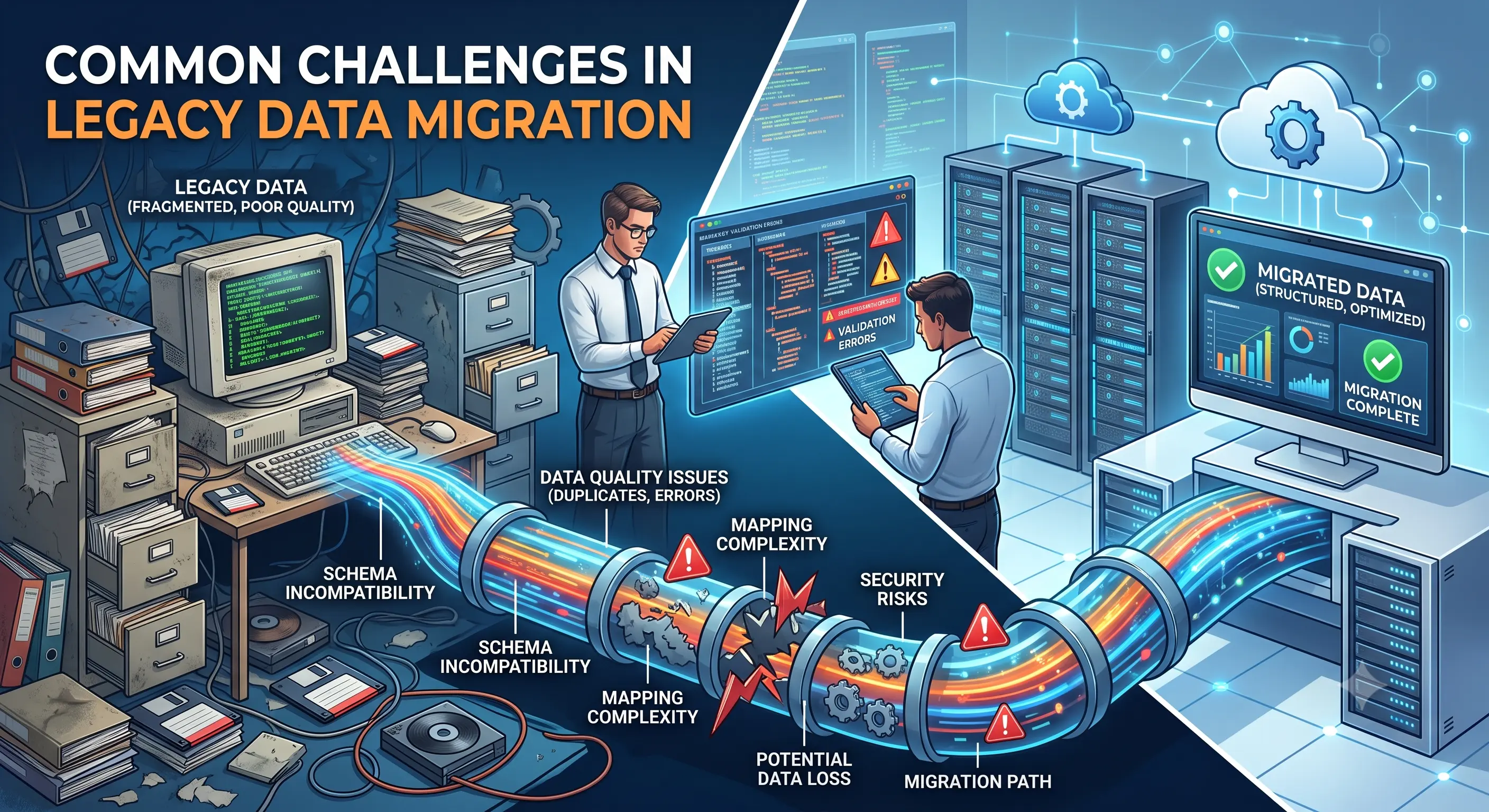
Common Challenges in Legacy Data Migration
Legacy data migration is one of the most critical phases of any modernization project. Organizations often rely on decades of historical information stored across outdated databases, spreadsheets, PDFs, scanned documents, and proprietary legacy systems. While moving this information to a modern platform appears straightforward, the reality is much more complex. Differences in file formats, inconsistent business rules, missing values, duplicate records, and undocumented processes can quickly turn a migration project into a costly and time-consuming effort. Understanding these challenges before the migration begins allows organizations to prepare effective conversion strategies and achieve a smoother transition.
Need help extracting valuable business records trapped inside legacy documents?
Historical PDFs, scanned documents, reports, and spreadsheets contain information your business depends on—but it's difficult to search and even harder to analyze. We convert legacy documents into accurate, database-ready datasets, making your data instantly searchable, easier to manage, and ready for modern business applications.
Inconsistent source formats
Legacy information rarely exists in a single standardized format. Business records may be spread across spreadsheets, exported reports, scanned documents, PDFs, text files, and obsolete database systems. Even when multiple files contain the same type of information, differences in layouts, field names, column order, date formats, currencies, and coding conventions make automated processing difficult. Before migration begins, each source should be analyzed to understand its unique structure and transformation requirements.
Poor data quality accumulated over time
Many legacy systems have been in use for years or even decades. During that time, manual data entry, software upgrades, departmental changes, and inconsistent business practices often introduce errors into the dataset. Missing values, incomplete records, inconsistent spellings, outdated codes, and formatting differences reduce the quality of the data being migrated. Cleaning these issues before importing the data helps prevent errors from being carried into the new system.
Scanned documents and OCR limitations
Organizations frequently archive historical records as scanned PDFs or image files. Since these documents do not contain selectable text, they require Optical Character Recognition (OCR) before the information can be extracted. Low-resolution scans, handwritten notes, faded printing, page rotation, stamps, and image noise can all reduce OCR accuracy. Additional validation and cleanup are usually required to ensure extracted values match the original documents.
Missing identifiers and inconsistent relationships
Modern databases rely heavily on unique identifiers to connect related records. Older systems often lack these unique keys or use inconsistent numbering schemes across different departments. Customer IDs, invoice numbers, product codes, or employee references may be duplicated or stored differently in separate files. Resolving these inconsistencies is essential to maintain relationships between records after migration.
Typical migration blockers
- Merged spreadsheet cells and complex non-tabular layouts.
- Scanned PDFs that require OCR cleanup before validation.
- Missing primary keys or inconsistent identifiers across systems.
- Historical records using outdated business terminology or codes.
- Duplicate records created through years of manual processing.
- Multiple date, currency, and number formats within the same dataset.
- Broken references between related business records.
- Unexpected exceptions that are not documented in legacy applications.
Field mapping and business rule differences
One of the most overlooked migration challenges is mapping legacy fields to the destination system. Field names may differ even when they represent the same information, while certain legacy values may require transformation before they fit into the new database schema. Business rules can also change over time, requiring additional logic to convert historical values into formats accepted by modern applications.
Data validation is critical
Migration should never end immediately after data extraction. Every dataset should go through multiple validation stages to confirm record counts, verify calculated totals, compare sample records with the original documents, and ensure mandatory fields have been populated correctly. Automated validation combined with manual quality checks significantly reduces the risk of introducing incorrect information into production systems.
Planning reduces migration risks
Successful migration projects begin with detailed planning rather than immediate data conversion. Understanding the source systems, documenting transformation rules, identifying exceptions, and preparing validation procedures before processing large datasets helps avoid delays later in the project. Small pilot migrations also provide valuable insight into potential challenges before full-scale execution.
How to overcome these challenges
The most successful legacy data migration projects combine data profiling, cleansing, standardized field mapping, automated transformation, OCR optimization, and rigorous quality assurance. Treating migration as both a data conversion and data quality initiative ensures that the final dataset is complete, accurate, and ready for modern databases, ERP systems, CRM platforms, analytics tools, and business applications. Investing time in preparation and validation ultimately leads to faster implementations, lower operational risk, and greater confidence in the migrated data.
Turn your documents into valuable business data.
From historical archives and scanned PDFs to invoices, engineering reports, and spreadsheets, we help businesses transform complex documents into structured, database-ready information with thorough validation and quality assurance. No matter the size of your project, we're ready to help.